Kitchen Requisition POS to Organize Your Kitchen Workflow
The kitchen asks, the store issues, and every kilo is on record.
The kitchen asks for what it needs, the store issues it and you can compare issued stock with sales.
SoftBar lets the kitchen raise daily requisitions, the store issue ingredients against them and managers compare issued stock with what sales say was used.
- Kitchen requests
- Store issue
- Usage vs sales

SoftBar Kitchen Requisition Features
Controlled flow of ingredients from store to kitchen.
Kitchen requests
Daily ingredient requests.
Store issue
Issue against requests.
Usage vs sales
Spot over-use and waste.
Approval
Manager approval when needed.
Par levels
Standard daily quantities.
Returns to store
Unused items back to stock.
What Is Kitchen Requisition in a POS System?
A kitchen requisition is a request from the kitchen to the store for the ingredients needed for a shift or day. The store issues against it and records what left.
Without requisitions, cooks take what they want from the store. Usage cannot be checked, theft is hard to prove and the store does not know what to reorder.
SoftBar records requests, approvals and issues, and compares issued quantities with recipe-based usage from sales.

Problems Businesses Face Without Kitchen Requisition
Free access to store
No records of issues.
Over-use
More than sales justify.
No reorder data
Store guesses.
Theft hidden
Nothing to compare.
Shift handover gaps
Who took what.
Wastage unclear
Spoiled vs used.
Insights from Kitchen Requisition
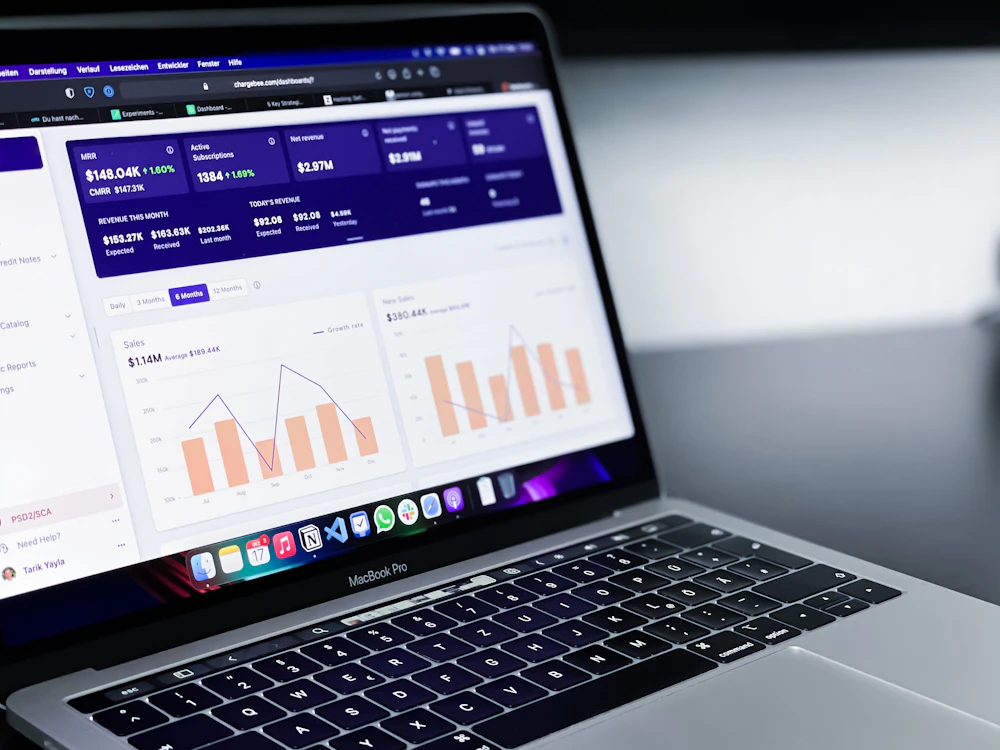
Requisition reports show where ingredients go:
- Issued vs used by item
- Requisitions by shift and chef
- Returns to store
- Store stock levels
- Wastage records
- Cost of issues by day
How Kitchen Requisition Works in SoftBar
Request
Kitchen lists needs.
Approve
Manager checks.
Issue
Store gives and records.
Compare
Issues vs sales usage.
Core Features of SoftBar Kitchen Requisition
Requests
Planned needs.
- Daily requisitions
- Par levels
- Shift-wise requests
- Urgent requests
Issuing
Recorded movement.
- Issue against request
- Partial issues
- Batch selection
- Printed slips
Returns
Unused stock back.
- Return to store
- Spoilage records
- Transfer between kitchens
- Shift closing
Analysis
Control.
- Issued vs expected
- Variance alerts
- Cost by kitchen
- Trends
See Kitchen Requisition working with your own data
Book a free demo and we will set it up around your business.
Benefits of Kitchen Requisition
Requisitions close the gap between store and kitchen.
Controlled issues
Every kilo recorded.
Less theft
Variance visible.
Better reordering
Real usage.
Accountability
By shift and chef.
Lower cost
Less over-use.
Clean handovers
Shift records.
How Your Team Uses Kitchen Requisition
Owner
Sees the results of kitchen requisition on the dashboard and gets alerts on the phone, without asking staff.
Manager
Sets the rules, approves exceptions and reviews kitchen requisition reports every day.
Staff
Use kitchen requisition on simple screens built into their daily work, with fewer clicks.
Accountant
Gets correct entries and ready reports, with no re-typing at month end.
Tips to Get the Most From Kitchen Requisition
Set par levels
Standard daily needs.
Issue once per shift
Avoid repeated trips.
Return unused items
Keep store accurate.
Review variance weekly
Talk to chefs early.
Lock the store
Only storekeepers issue.
Record spoilage
Separate from usage.
Businesses That Use Kitchen Requisition
Food businesses with a separate store.
Works With the Rest of SoftBar
Kitchen Requisition is not a separate program. It shares the same products, customers, stock and accounts as every other part of SoftBar POS and ERP, so data entered once is available everywhere and reports always match.
Start with the modules you need today and switch on more as your business grows. Your data, users and settings stay the same.
More stock & branches modules
Why Businesses in Pakistan Choose SoftBar
Software, setup and support from one local team.
Local team in Faisalabad
Meet us, call us or message us on WhatsApp. The same team sets up and supports your system.
Set up around you
We configure products, users, reports and modules for the way your business works.
One connected system
POS, inventory, accounts, HR and integrations share the same data.
Built for local conditions
Offline billing, Urdu-friendly receipts and support for local payment and tax requirements.
Quick to start
Most businesses are live within days, with their own data imported.
Marketing under one roof
We also run ads, SEO and social media to bring you more customers.
Secure, Cloud-Based and Supported Locally
Cloud backups
Data backed up automatically.
Works offline
Billing continues without internet.
Role-based access
Each user sees only their part.
Faisalabad support
Help on WhatsApp and phone.
Manual Work vs SoftBar Kitchen Requisition
What changes when this work moves from registers, Excel and phone calls into SoftBar.
| Area | Manual way | With SoftBar |
|---|---|---|
| Speed | Typed or written by hand, slow at busy times | A few clicks or a barcode scan |
| Accuracy | Copy mistakes and missing entries | Data entered once and reused everywhere |
| Visibility | Known only to the person who wrote it | Live on the owner's phone and dashboard |
| Control | Anyone can change records | Permissions, approvals and activity logs |
| Reports | Prepared in Excel at month end | Ready any time, exportable to Excel and PDF |
| Customers and partners | Phone calls for every update | Automatic SMS and WhatsApp messages |
Getting Started With Kitchen Requisition: Checklist
A short list to prepare before your setup session with our team.
- Your current product, customer and supplier lists
- Names and roles of staff who will use it
- The reports you check most often today
- Your rules for discounts, approvals and credit
- Printers, scanners or devices you already have
- A date to go live, ideally at the start of a week
We do the setup with you
Our team imports your data, configures kitchen requisition and trains your staff. Most businesses are live within a few days.
Frequently Asked Questions About Kitchen Requisition
Can I compare kitchen use with sales?
Yes. Issued ingredients can be compared with what recipes say was used.
Can the kitchen request on a tablet?
Yes. Requests from any device.
Can unused items be returned?
Yes. Returns go back to store stock.
Can I compare issues with sales?
Yes. Variance reports.
Is Kitchen Requisition included in SoftBar POS?
Kitchen Requisition is part of SoftBar POS and ERP and can be switched on for your account. We set it up to match your workflow.
Can I try it before buying?
Yes. Book a free demo and we will show this module with your own products and data.
Does it work on mobile phones?
Yes. SoftBar runs in the browser on phones, tablets, laptops and PCs, so owners and managers can check and approve from anywhere.
Does it work without internet?
Billing and daily work continue offline and sync automatically when the connection returns.
Is my data safe?
Data is kept on secure servers with regular backups, encrypted connections and role-based access for every user.
How do I get a demo?
Press Request a Free Demo or WhatsApp 03028603894.
All POS modules
Ready to Use Kitchen Requisition in Your Business?
Talk to our team in Faisalabad. The demo and setup consultation are free.